
Audit log
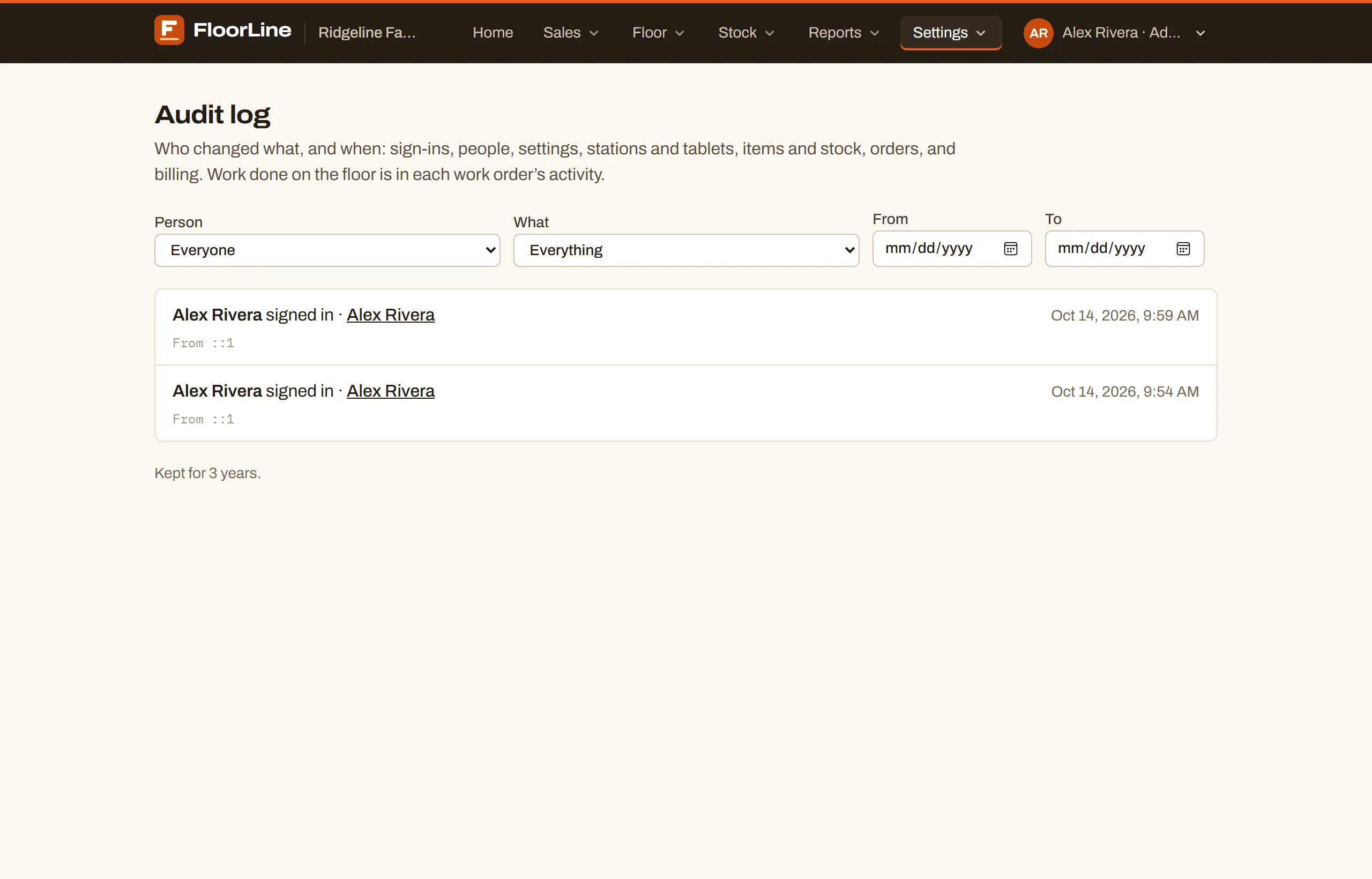
The audit log answers “who changed this, and when?” Every sign-in, every change to people, settings, stations and tablets, items and stock, orders, planning, and billing is written down with the person who did it, the time, and what changed from what to what.
Only admins can open the audit log. It’s shown on the Mid plan and up, but FloorLine records it on every plan: if you upgrade from Free or Basic, the history from before the upgrade is already there (as far back as your old plan kept it).
Open the audit log
Section titled “Open the audit log”-
Go to Settings → Audit log.
-
The newest entries are at the top. Scroll down, and choose Load more at the bottom to see the next 100.
Below Mid, the page shows what the audit log is and which plan has it instead of the entries. The shop owner sees a link to the plans.
Read an entry
Section titled “Read an entry”Each entry is one line saying who did what, followed by the details:
- Who and what: the person’s name and the action, such as “Dana Brooks changed an item · Utility cart, 2-shelf”. When FloorLine itself made the change (a subscription update from the payment processor, for example), the name is FloorLine.
- The record: the item, work order, purchase order, delivery order, sales order, transfer order, vendor, or customer is a link to its page. Stations, tablets, and people link to their Settings pages; locations, scheduled reports, and downtime reasons to their section of Shop settings. The name is the one it had at the time, so a renamed item still shows the name it was changed under.
- When: the date and time on your shop’s clock (the time zone in Shop settings).
- What changed: one line per field, as Field: before → after, such as “Role: Manager → Admin” or “Plan: Mid → Basic”. Long values like a week of shop hours just say “Hours changed”.
- Details: extras such as How many for an import, or the note someone typed, shown in quotes.
- Where from: sign-ins and other account entries show From and the network address the request came from, which helps spot a sign-in from somewhere unexpected.
Filter the log
Section titled “Filter the log”Use the filters above the list. Pick any combination; the list updates right away.
| Filter | What it does |
|---|---|
| Person | Everyone, or one person who appears in the log |
| What | Everything, or one kind of change (below) |
| From, To | Only entries on or between these days, on your shop’s clock |
Choose Clear filters to see everything again. The filters are part of the page’s address, so you can bookmark a filtered view or send the link to another admin.
Kinds of change
Section titled “Kinds of change”| What | Includes |
|---|---|
| Sign-ins and accounts | Signing in, accepting an invite, resetting a password, confirming an email, changing your own email settings or tablet PIN, and being locked out of the tablet after wrong PINs |
| People | Adding, inviting, importing, changing, deactivating, and reactivating people; changing or unlocking someone’s tablet PIN; resending or deleting invites |
| Shop settings | Creating the shop, changing shop settings and the logo, locations, and scheduled reports |
| Billing | Changes to the subscription: plan, billing cycle, add-ons, and status |
| Stations and tablets | Adding, renaming, archiving, restoring, reordering, and importing stations; capacity, who can sign in, location, and scheduled downtime; marking a station back up; downtime reasons; setting up, pairing, revoking, and taking tablets out of floor mode |
| Items and stock | Adding, changing, archiving, restoring, and importing items, routings, bills of materials, and lots; stock counts and adjustments; lot and serial number changes; expiry dates; categories |
| Work orders | Creating, importing, changing, completing, canceling, reopening, holding, and releasing work orders from the office; finished units, waste, and scrap; lots and serials entered; rescheduling and handing an order back to the planner |
| Purchasing and shipping | Purchase, delivery, and transfer orders (created, changed, received or shipped, canceled, reopened); vendors and customers |
| Sales orders | Creating, changing, canceling, and reopening sales orders; turning customer status links on and off |
| Planning and MRP | Changing and releasing planned orders, applying action messages, the master schedule, and orders created from Replenishment |
What isn’t in the audit log
Section titled “What isn’t in the audit log”- Work on the tablets. Starting, stopping, and completing steps on the floor is already recorded, with who and when, in each work order’s activity. Open the work order to see it.
- Looking at things. Opening pages and downloading files isn’t logged.
- Changes that didn’t go through. A save that was refused (a duplicate name, a plan limit) isn’t recorded. The exception is a tablet PIN lockout, which is logged so admins can see it.
How long entries are kept
Section titled “How long entries are kept”Entries are kept for the history your plan includes, and older ones are deleted each day. The bottom of the page says how long your shop keeps them, such as “Kept for 3 years.”
| Plan | Audit log kept for |
|---|---|
| Free | 90 days |
| Basic | 1 year |
| Mid | 3 years |
| High | As long as the shop exists |
The last 90 days are never deleted, on any plan.